[Placeholder text. Final text to be provided by the publisher.]
Step 1: Check whether you need to register
[Explain the floors: US$ 1,000,000 for most operations; US$ 500,000 for financed imports.]
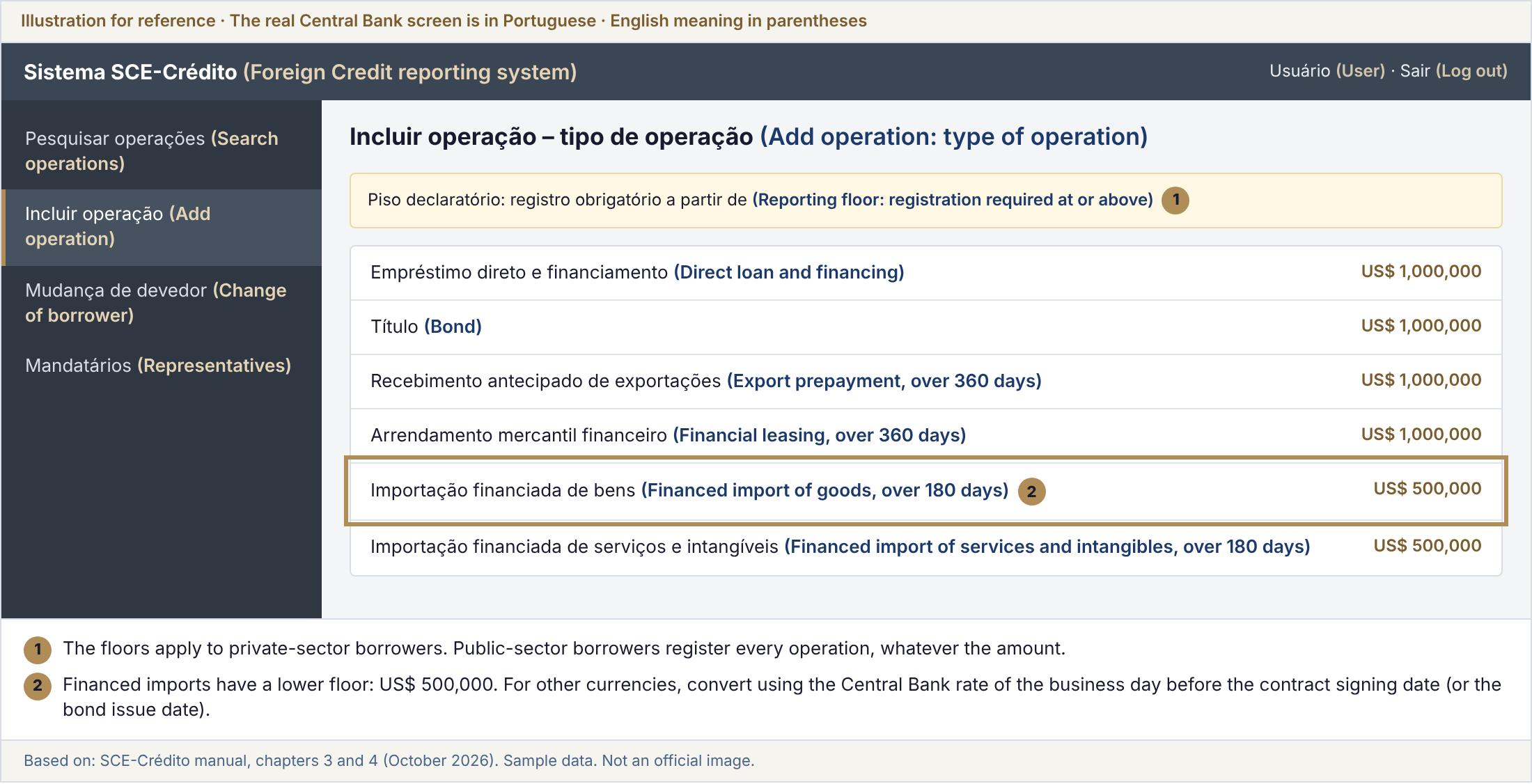
Illustration based on the SCE-Crédito manual, chapters 3 and 4 (October 2026). The real Central Bank screen is entirely in Portuguese; the English meaning is shown in parentheses.
Step 2: Register the lender in the CDNR
[Explain the CDNR registration. No CNPJ needed, except for financial leasing.]
On the screen, look for “Cadastro de Não Residentes” (Non-Resident Registry).
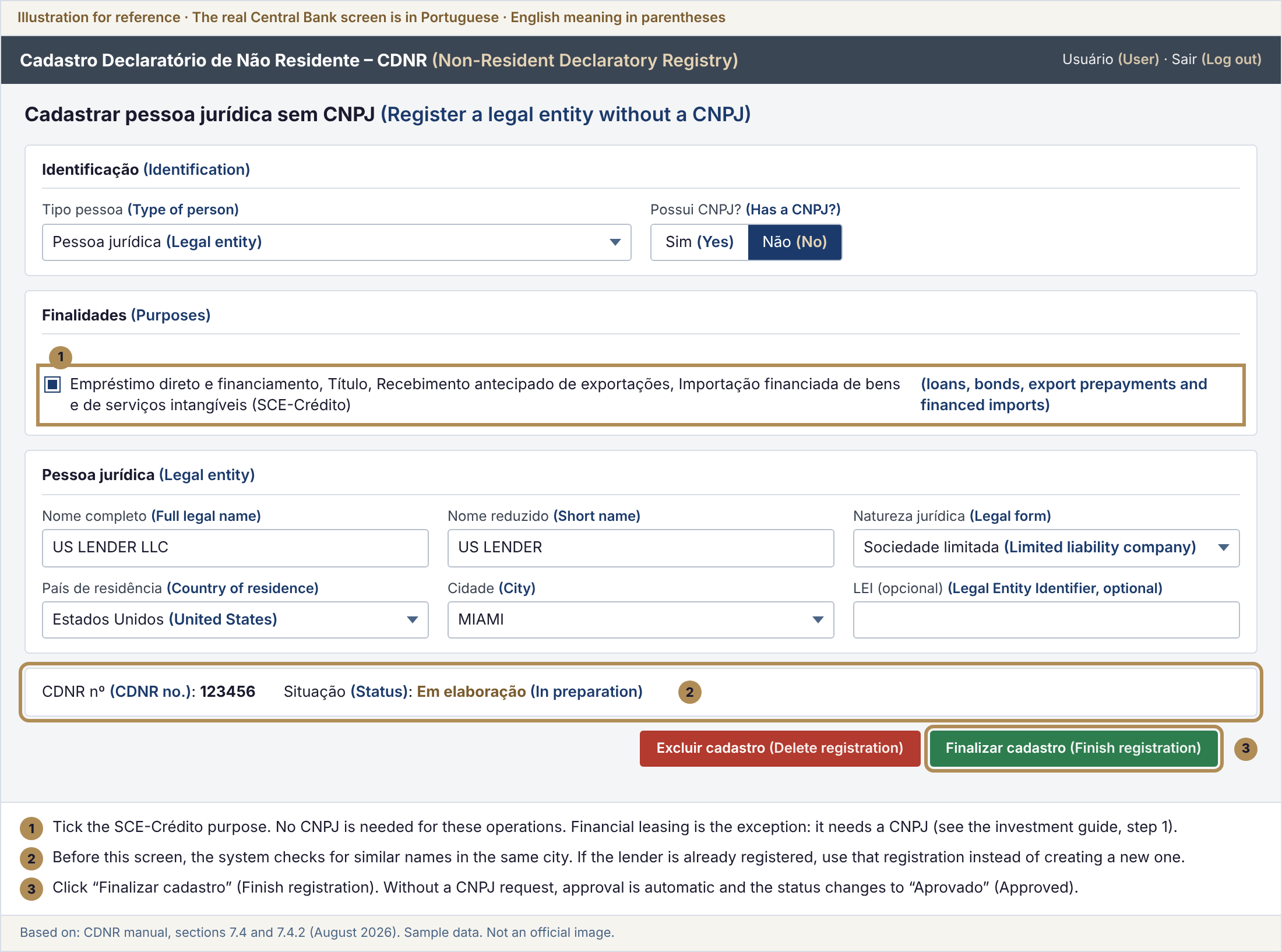
Illustration based on the CDNR manual, sections 7.4 and 7.4.2 (August 2026). The real Central Bank screen is entirely in Portuguese; the English meaning is shown in parentheses.
Step 3: Register the operation in SCE-Crédito
[Explain the registration and the payment schedule.]
On the screen, look for “Esquema de pagamento” (Payment schedule).
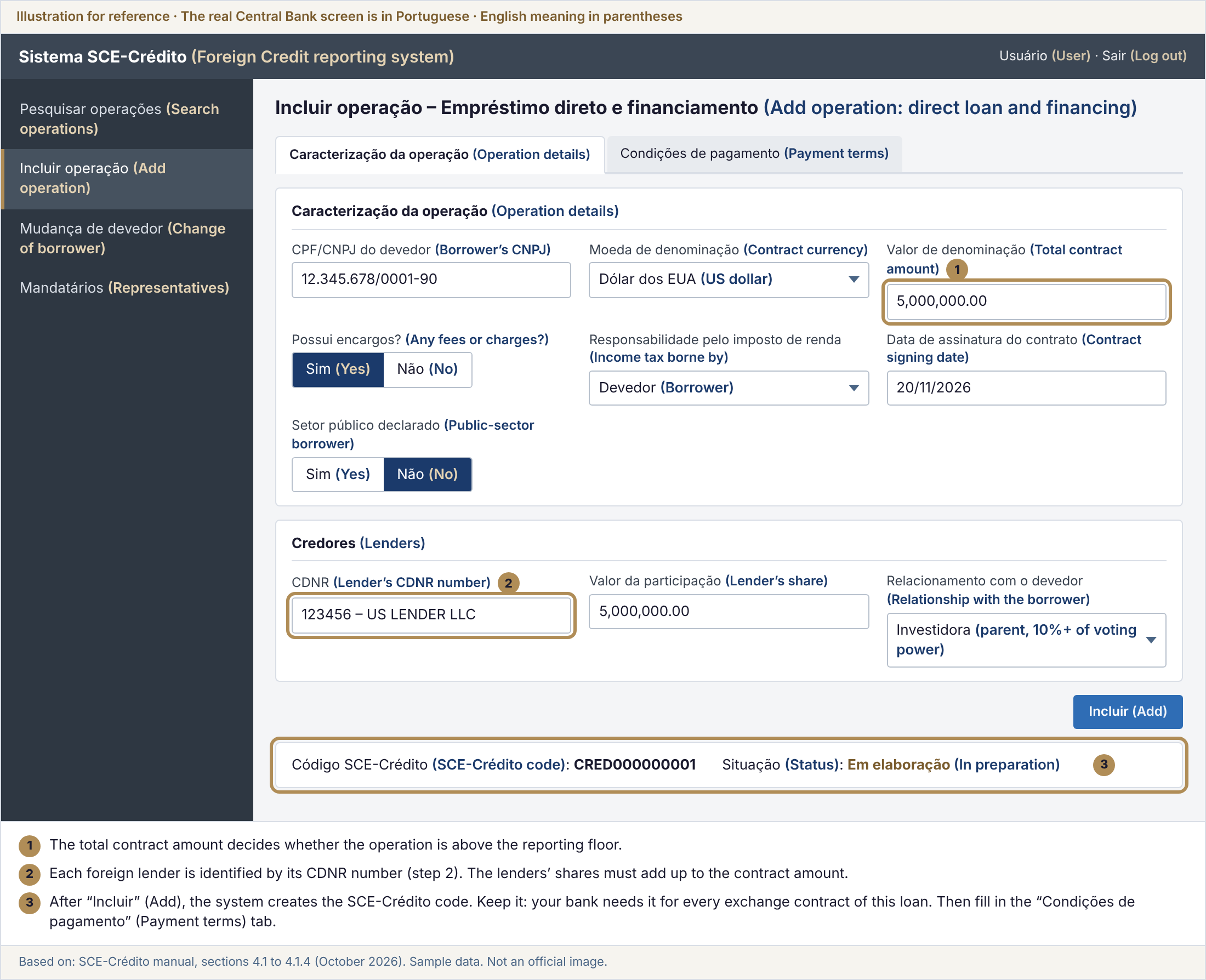
Illustration based on the SCE-Crédito manual, sections 4.1 to 4.1.4 (October 2026). The real Central Bank screen is entirely in Portuguese; the English meaning is shown in parentheses.
Step 4: Disburse the funds
[Text to be provided.]
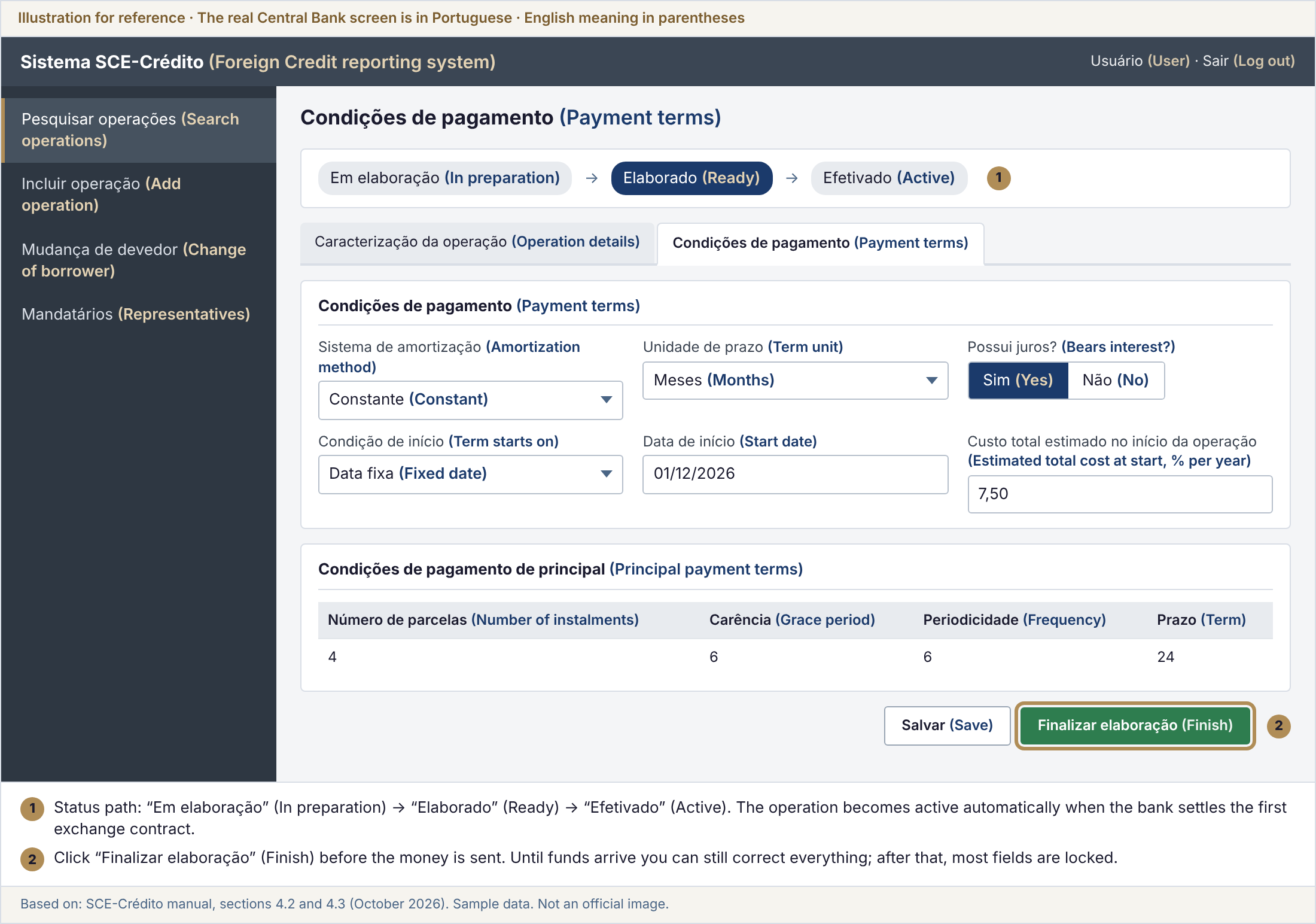
Illustration based on the SCE-Crédito manual, sections 4.2 and 4.3 (October 2026). The real Central Bank screen is entirely in Portuguese; the English meaning is shown in parentheses.
Step 5: Remit interest and principal
[Explain that principal cannot be remitted beyond the amounts distributed in the payment schedule.]
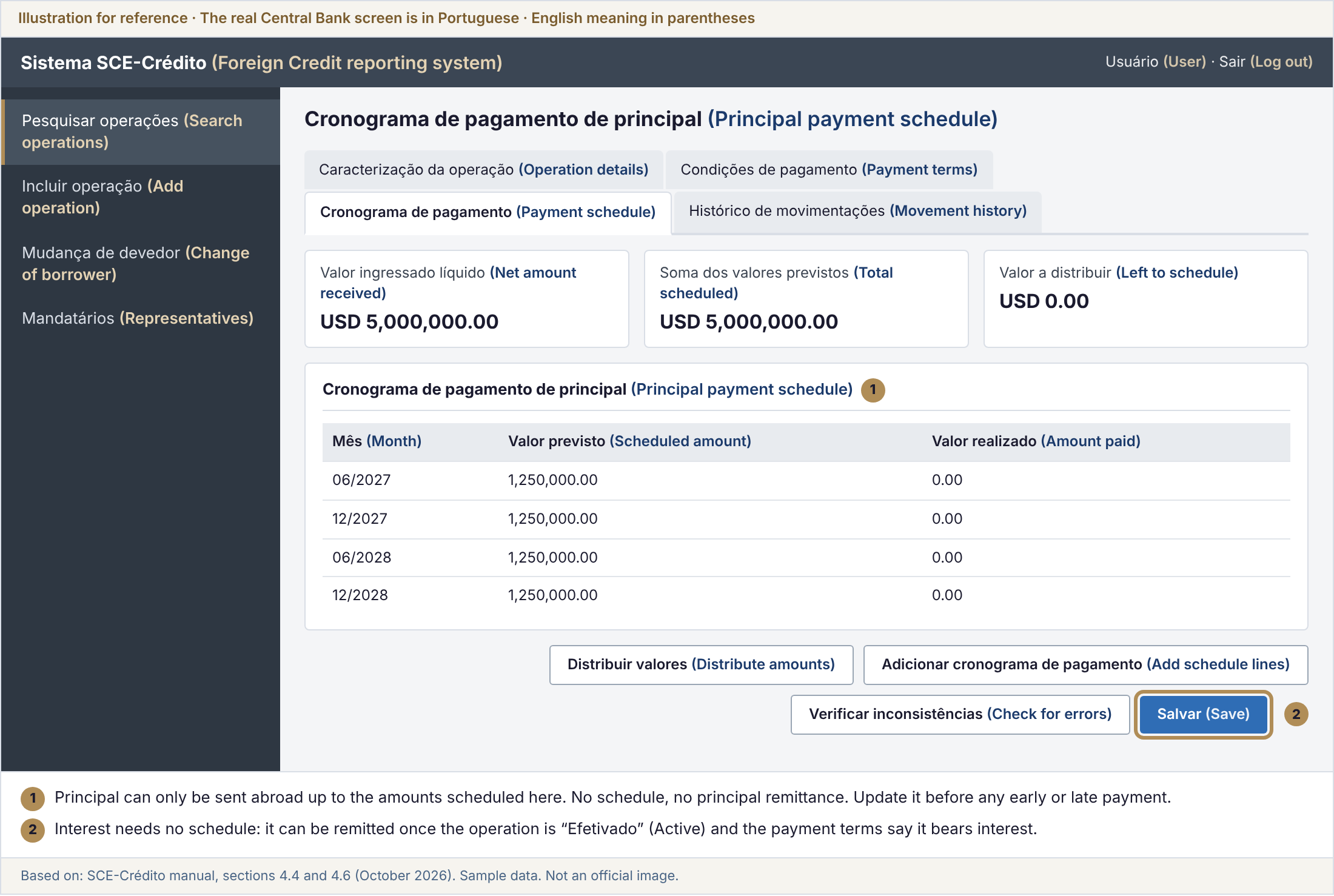
Illustration based on the SCE-Crédito manual, sections 4.4 and 4.6 (October 2026). The real Central Bank screen is entirely in Portuguese; the English meaning is shown in parentheses.
Complex case, such as a conversion, a restructuring or a suspended registration? Talk to a specialist.